
Short answer
A string file cannot tell you where the words live
“Continue” may be a button that advances a user, or a heading for a list of material they have already started. A translation file alone cannot settle the difference. On 5 November 2026, Crowdin announced a `generate-screenshots` skill that uses a coding agent to capture application states and connect visible strings to those images. The useful shift is operational: visual context may become easier to collect and refresh instead of leaving translators to infer each string’s function.
Crowdin says the skill runs against an application’s code, can capture states such as open menus and validation errors, and uploads images that are tagged to visible strings. The announcement is a vendor description with a self-reported demo, not independent evidence that translation accuracy or cycle time improves across teams. The argument here is narrower: a screenshot improves the question a translator can ask; it does not certify the localized product for release.
Visual context resolves real linguistic ambiguity
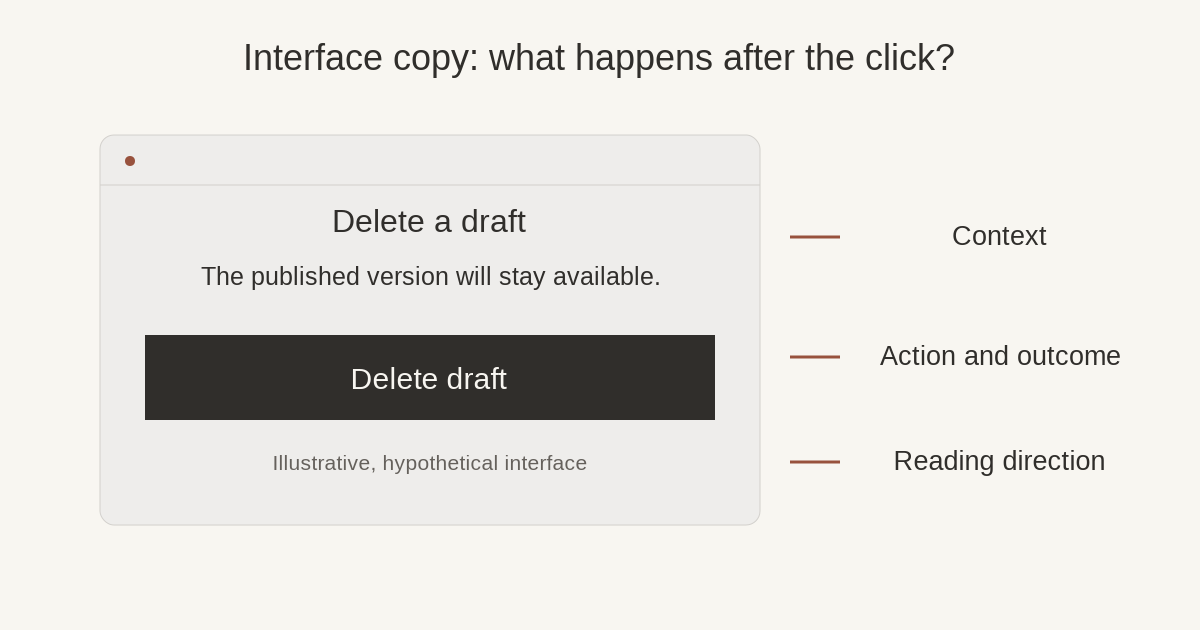
Seeing a string in its component helps distinguish a verb from a heading, reveals whether the space is a button or a label, and shows neighbouring copy. That matters to people and language models alike. A system given an isolated word may select a lexically valid sense that is wrong for the interface. Crowdin illustrates this with the English word “Continue,” whose Spanish rendering changes depending on whether it is a button or a section heading. It is a useful example of context, not a broad comparative study.
An image adds evidence to comments, a glossary and a string description; it replaces none of them. A screenshot may not explain a button’s consequence, whether a brand name inflects, or which form of address the product uses. Strong context combines the image with searchable metadata: function, audience, tone, constraints and approved terminology. The image then becomes part of an editorial decision record rather than decoration inside a translation tool.
Screen coverage is not product coverage
Crowdin says its skill counts strings without screenshots and groups the remaining cases by cause. Some content never appears as pixels, such as alt text; some application states have not yet been captured; other strings are never rendered in the app. In Crowdin’s demo, the count of unpictured strings fell from 1,100 to 488 after 82 screenshots were uploaded. Those are figures from the vendor’s own demo, not a transferable benchmark—and they show that automation did not cover everything.
There is a crucial difference between attaching an image of the source interface to a string and testing a localized build. An English screenshot can tell a translator where a string appears; it cannot show whether Arabic wraps cleanly, collides with an icon or follows the product’s intended right-to-left behaviour. Nor does a still image test keyboard interaction, assistive technology or a multi-step workflow. Teams need to state what their screenshot set covers and what remains for other forms of validation.
For Arabic, the context itself may be incomplete
Microsoft’s localization-testing guidance separates visual, linguistic and functional validation and recommends reviewing language in the running application. In-context review can reveal issues that isolated resources cannot, including truncation, line wrapping, mirroring, fonts and encoding. A screenshot can help document and route an issue, but it does not replace a reviewer navigating the localized build.
Consider a source-language capture of a narrow button with a short label. The Arabic wording may need more room or a different relationship to its icon. One image cannot settle the question if the text changes in an error state, at another viewport, or under user display settings. This is a hypothetical example, not a Sard project. In practice, capture plans should serve translators’ need to understand the source, while localization tests should exercise real target-language text across relevant devices and edge cases.
Make visual context maintainable
Automation’s value becomes clearer after a redesign, not just during the first capture. Crowdin says re-uploading a screenshot under the same name replaces it while keeping its identity, and capture files can live in the repository for later runs. That makes context a reviewable artefact of the codebase, but it introduces governance questions: who decides that a screen has changed enough to recapture, who checks the images, and how are test environments and credentials handled?
Start with screens that carry the most translation risk: registration, payment, validation errors, ambiguous labels and shared components reused across products. Do not pursue a screenshot for every string merely to maximize coverage. Invisible strings need another kind of context, while rare low-risk screens may not justify equal effort. Record why a string has no image instead of treating every omission as a tool failure or translator oversight.
Triage the defect before sending copy back
If an Arabic button appears clipped in the app, do not begin by asking for shorter wording. Use the source capture to establish the button’s function, then inspect the actual localized build at the relevant font and viewport. If the meaning is right but the container clips it, the defect belongs in design or engineering. If the available space is a real product constraint, ask for alternatives with that constraint stated. If the wording misrepresents the action, route it to linguistic review. This triage should reduce avoidable back-and-forth in principle; we have no measured result to attach to that recommendation.
A useful issue record includes the string and screen IDs, language and region, interface state, device or viewport, expected behaviour, observed result and likely owner. Screenshots provide shared memory, not proof that a defect has been fixed; the team still needs to reproduce and verify the change. Crowdin also advises running the skill on a local build with test data, not against production or real user data.
Match review effort to risk
The practical objection is straightforward: manually opening every screen and reviewing every string can add cost and delay a release. That is true, and not every low-risk static label warrants the same scrutiny. Prioritize by the likelihood and consequence of failure: could a misunderstanding block a task? Is the string reused? Does its meaning depend on context? Does it affect money, privacy or safety? Teams can automate capture and linking, then reserve human attention for the most consequential screens, languages and states.
Three outputs should remain distinct: a screenshot that gives translators context, a visual test that detects layout defects, and an in-context linguistic review that checks meaning and suitability. Automated frameworks can detect some visual issues; Microsoft recommends visual sanity checks and notes that review in the running application finds problems that isolated resources miss. This is not an argument that manual work is always better. It is a reminder that the methods answer different questions and should be combined accordingly.
The useful metric is not screenshot count
The number of captures or tagged strings can measure activity, but it cannot establish localization quality. More outcome-oriented measures might include the share of high-risk screens reviewed by a target-language specialist, defects found before release, time to resolve them, and recurrence after interface changes. Define the denominator—strings, screens, states, languages or releases—before interpreting a rate. Otherwise, apparent coverage can rise simply because difficult or invisible content was excluded.
A company needs its own baseline before attributing improvement to a tool. It can compare release cycles while documenting differences in scope and staffing, but a simple before-and-after comparison does not establish causation. The announcement supports a modest conclusion: automation can reduce repetitive capture and tagging work, while leaving identifiable classes of strings without screenshots. What remains unknown is how much the workflow changes the quality of shipped experiences across products and languages. Start with a limited pilot and explicit acceptance criteria, not a promise that automating screenshots automates QA.
Sources and further reading
- Crowdin — How to automate screenshots for localization with Crowdin skills (5 Nov 2026)
Vendor announcement and demonstration; not an independent evaluation of translation quality.
- Crowdin documentation — Crowdin Skills
Primary product documentation for the skill ecosystem.
- Microsoft Learn — How to perform localization testing
Guidance distinguishes visual, linguistic, functional and in-context validation; last updated 7 June 2024.